A debt snowball and avalanche tracker that ranks your payoff order for you — and shows exactly how much is left on every balance. No formulas to build, no setup beyond listing your debts once.
Instant download · Excel, Google Sheets, LibreOffice & Numbers · Secure checkout via Gumroad
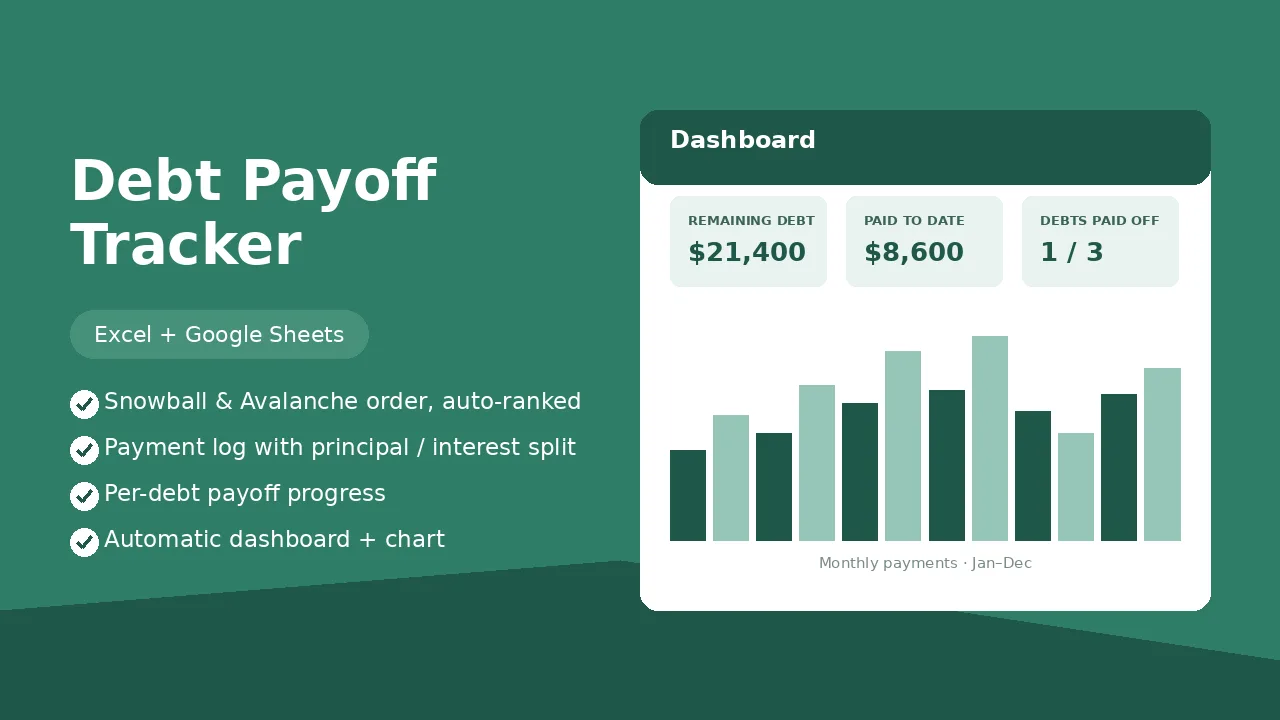
This is the Dashboard sheet — it fills in automatically as you log payments. Nothing to build.
Monthly payments · Jan–Aug
| Date | Debt | Payment | Principal | Interest |
|---|---|---|---|---|
| Aug 02 | Chase Sapphire Card | $300 | $212 | $88 |
| Aug 09 | Toyota Camry Loan | $260 | $196 | $64 |
| Aug 15 | Federal Student Loan | $210 | $115 | $95 |
Settings and Payment Log use dropdowns and pre-built formulas — the dashboard and payoff order update instantly.
Open Settings and add each debt's name, starting balance, interest rate and minimum payment — Snowball and Avalanche order fill in automatically.
Every payment gets one row in Payment Log: date, debt, amount, and how much went to principal vs. interest.
Total remaining debt, total paid, total interest paid, debts paid off and a per-debt breakdown — all computed automatically.
Yes. Upload the file to Google Drive or use File → Import in Sheets. All formulas, dropdowns and the chart carry over.
No — one payment, the file is yours forever. Keep logging until every balance hits zero.
It calculates both payoff orders automatically from the balances and interest rates you enter, so you can compare and pick whichever keeps you motivated.
Up to 12 debts in Settings, each with its own line in the per-debt breakdown, and 400 rows in the Payment Log — plenty for years of payments.